
Marketing Project Management Software for Campaign Teams
Marketing project management software is a purpose-built platform that helps marketing teams plan, brief, execute, and deliver campaigns from initial concept to final approval. Unlike general project management tools, it includes native structured briefs, online proofing, multi-stage approval routing, compliance audit trails, and digital asset management - all in a single centralised platform. Admation is built for campaign teams, in-house creative studios, and marketing operations managing high-volume content across multiple brands, channels, and stakeholders - with briefs, tasks, timelines, approvals, and reporting in one platform.

Every Campaign in One Hub
Briefs, tasks, schedules, approvals, assets, and final files all centralised. No tracking projects across spreadsheets, email, and shared drives. One platform, complete campaign visibility.
Plan and Execute Faster
Campaign and brief templates reduce setup time for recurring projects. Workflows, approval pathways, and task assignments are preconfigured - so teams launch faster without rebuilding the same structure each time.
Real-Time Pipeline Visibility
Project dashboards, Gantt charts, and a live marketing calendar give management real-time visibility across every campaign - new initiatives, work in progress, upcoming deadlines, and resource bottlenecks.
Built for How Marketing Works
Marketing projects require creative reviews, multi-round revisions, and compliance sign-offs that general PM tools weren't designed to handle. Admation includes all of these natively - not as integrations.
Our Customers





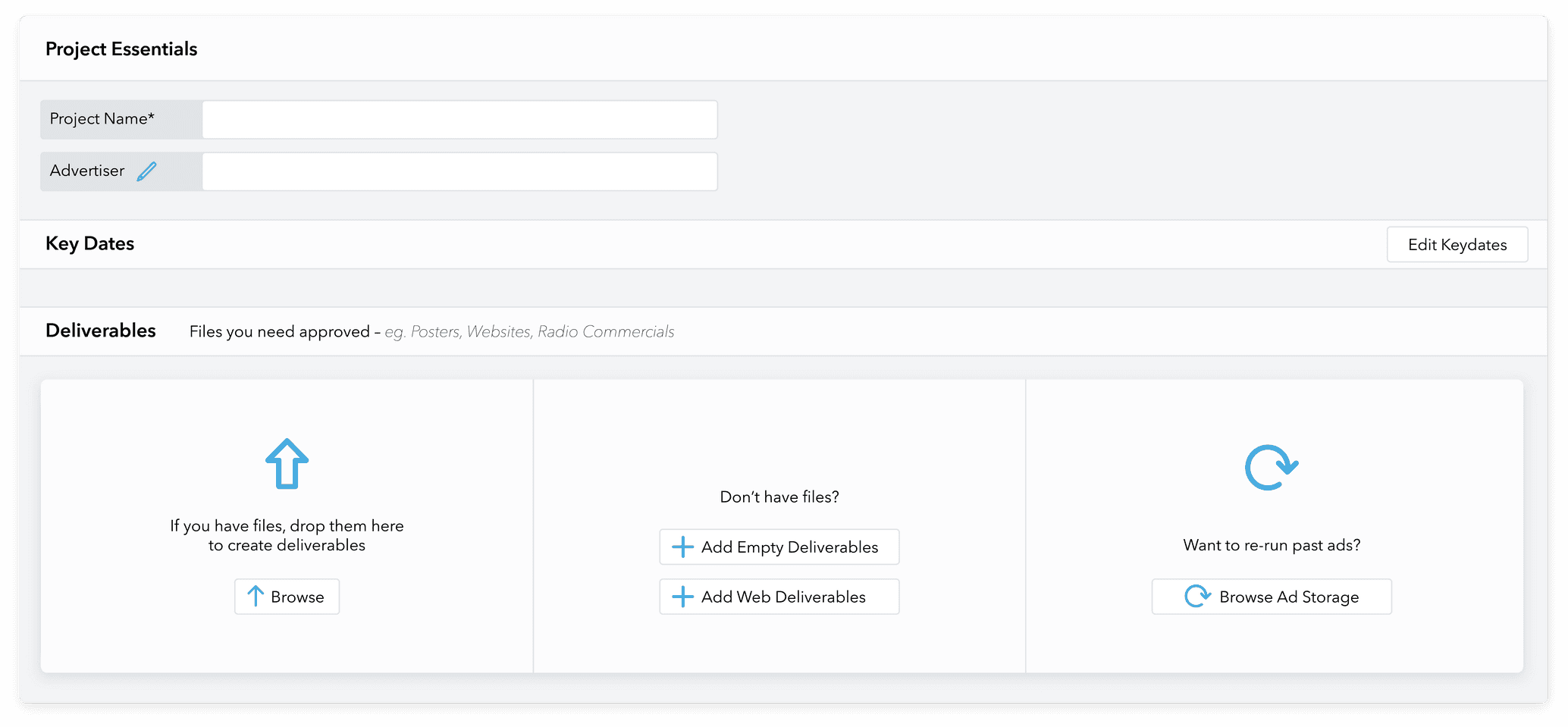
Campaign Planning and Project Setup
Every campaign starts with a brief. Admation structures brief capture to prevent the downstream problems that come from unclear scope, missing specs, or incomplete compliance requirements.
• Project and Campaign Setup: Set up new projects in a few steps with all documents, deliverables, and stakeholders organised in a central hub from the start.
• Briefing Templates: Custom templates capture purpose, objectives, budgets, resources, approvals, compliance requirements, and deadlines - consistently across every project.
• Brief Duplication: Duplicate briefs for similar campaigns or recurring deliverables - inherit fields and maintain consistency without rebuilding from scratch.
See dedicated brief management: Creative Briefing Software
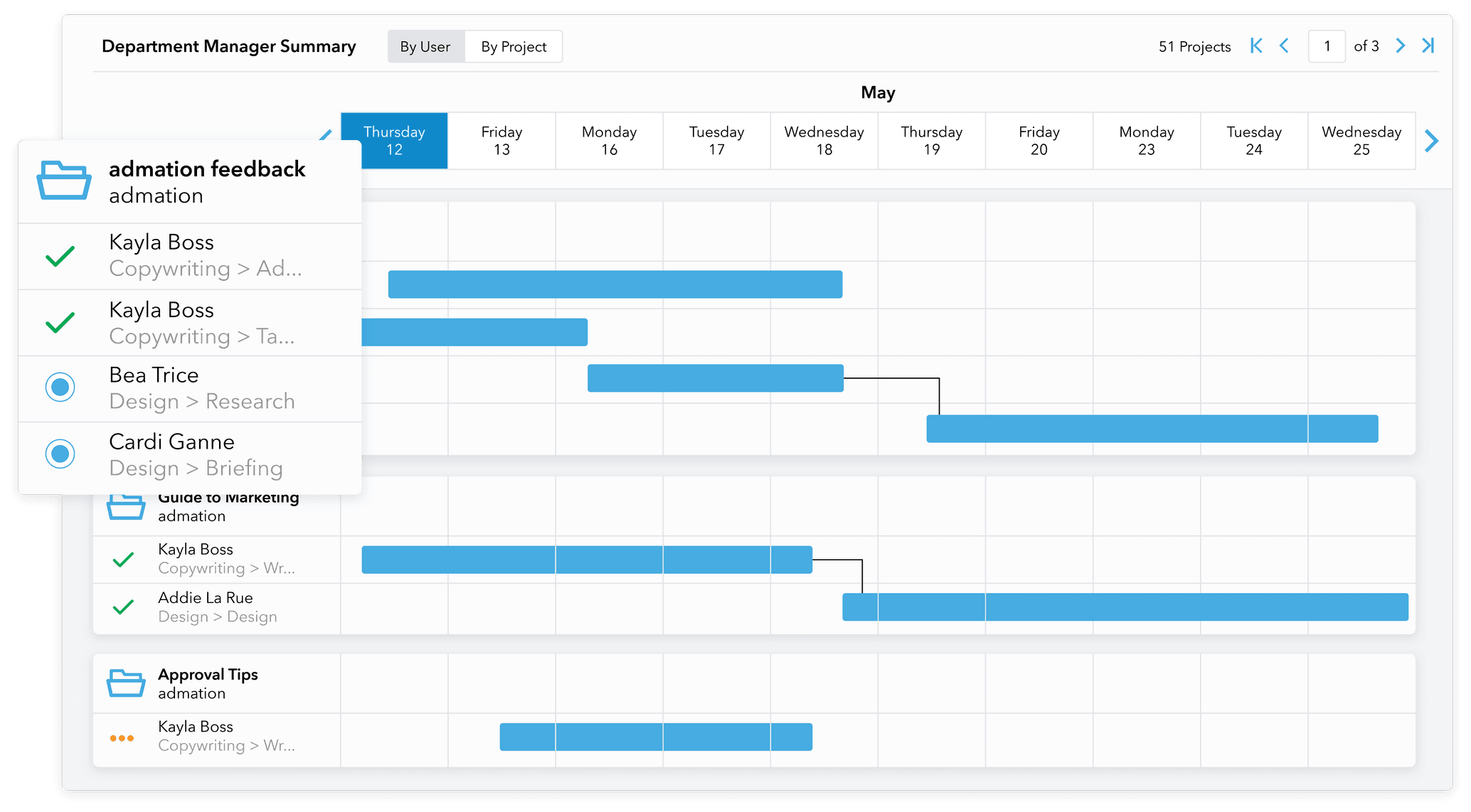
Project Dashboard and Marketing Calendar
Campaign visibility is only useful if it's real-time. Admation's dashboards and calendar update automatically as projects progress - no manual status updates required.
• Project Dashboard: View new initiatives, project progress, resource use, approval status, and campaign pipeline in a single customisable view with visual graphs and Gantt charts.
• Marketing Calendar: Plan campaigns in a weekly or monthly calendar view - updates automatically as new projects are created, with deadline alerts for key project dates.
• Project Timelines: Automatically updated timelines whenever milestones are logged - custom milestones match your existing workflow.
• Project Portfolio View: See all active projects, their current status, and resource requirements without switching between individual project views.
Task Management and Workflow Automation
Tasks need to be assigned clearly, move predictably, and complete on time. Admation's task management gives every team member clarity on what they're doing and by when.
• Task Creation and Assignment: Build tasks with deadlines and required approvals, then assign by viewing resource availability and dragging into schedules.
• Automated Approval Workflow: Define workflows with templates and multi-level pathways to minimise touchpoints and ensure every campaign asset gets every sign-off needed.
• Document Management: All briefs, estimates, schedules, scripts, and documents stored in one location with version control and a full audit trail.
• Roles and Permissions: Control who can view, edit, and approve at each stage - sensitive project information only accessible to the right stakeholders.
See approval workflow and routing: Marketing Approval Workflow Software
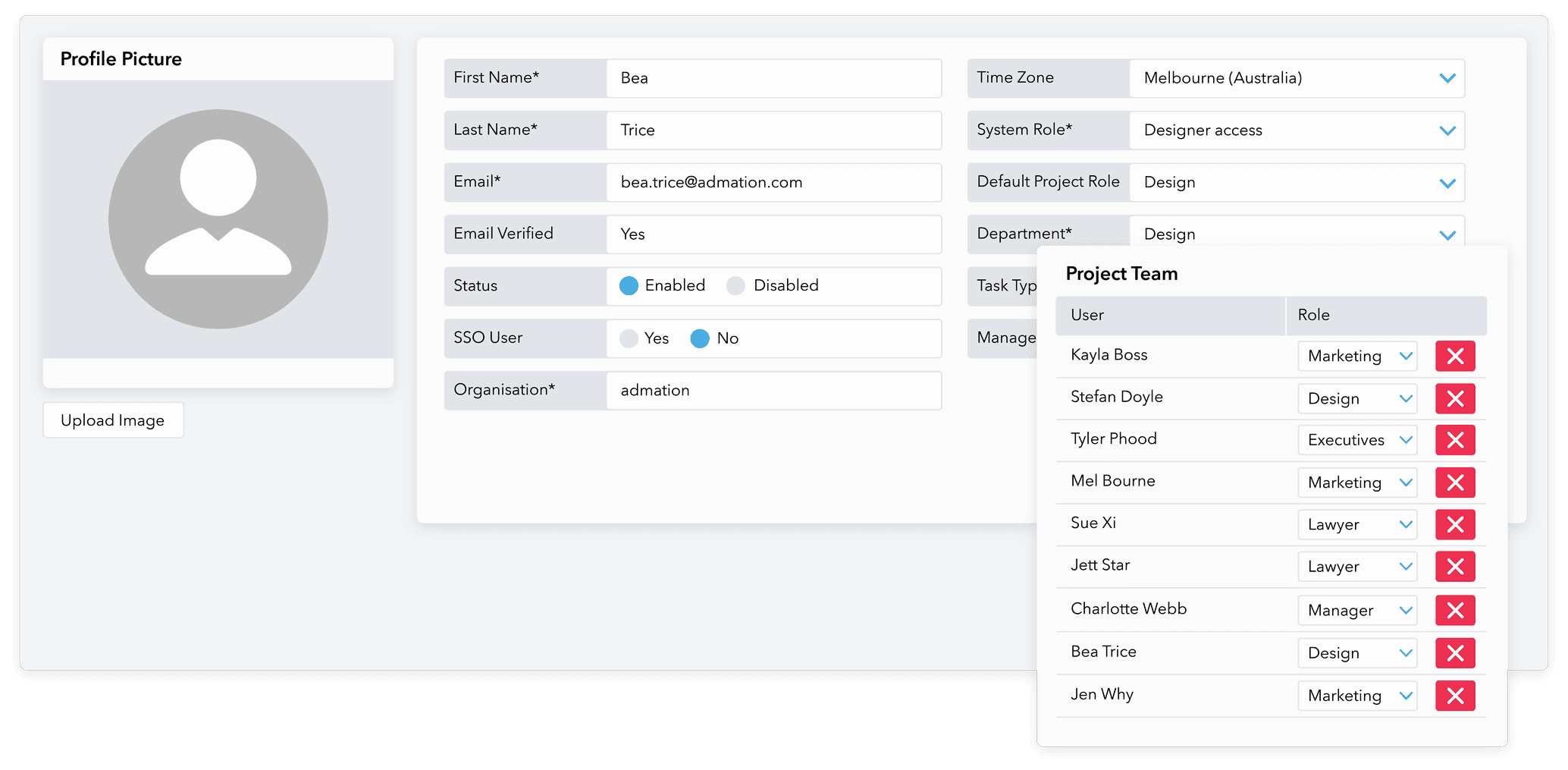
Resource Planning Within Projects
Projects are only deliverable if the right people are available. Admation connects project planning directly to resource availability - so timelines reflect actual capacity, not assumptions.
• Resource Visibility Within Projects: View team member availability and workload from within the project planning interface - assign tasks to available resources without switching systems.
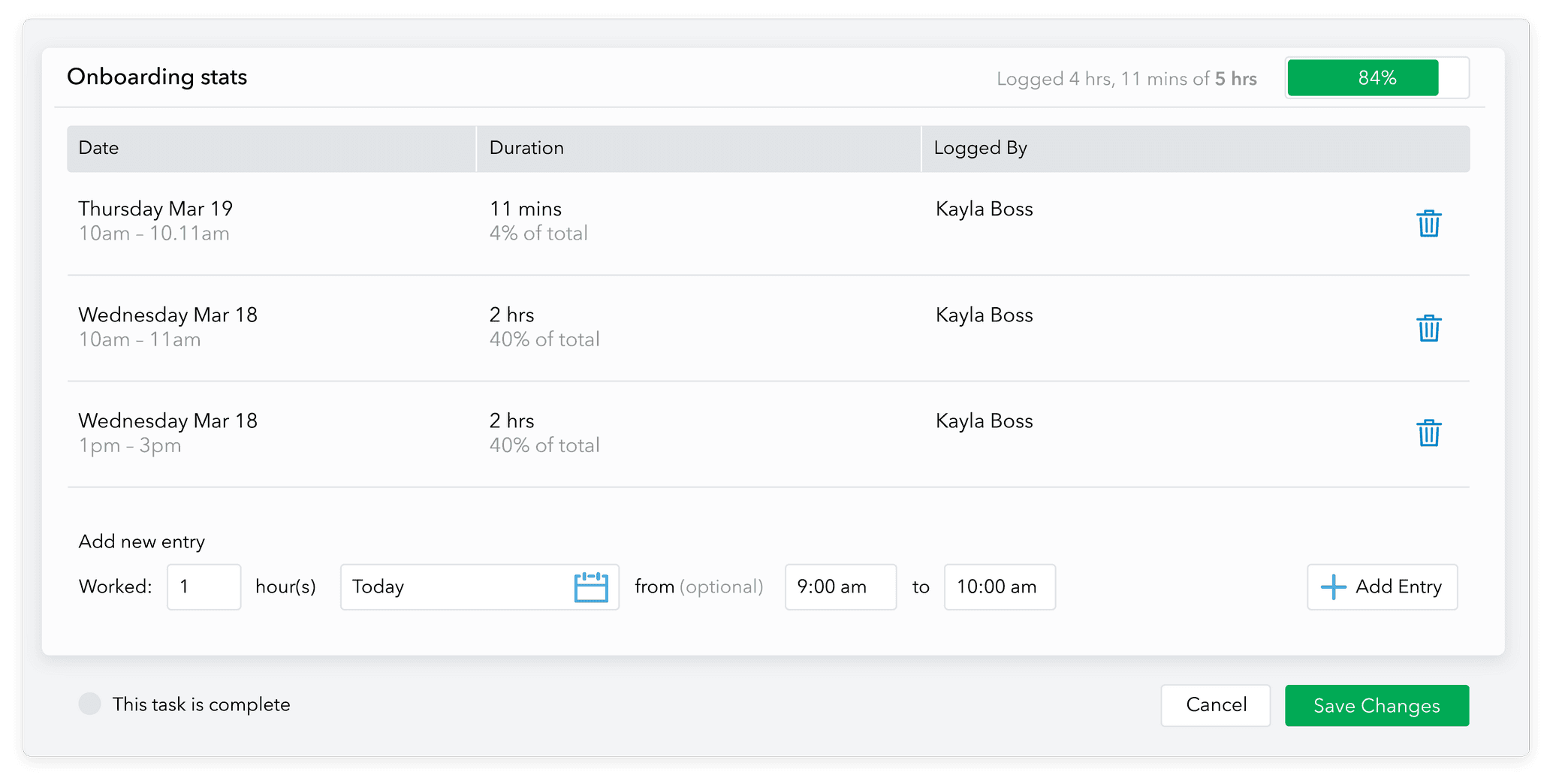
• Budget Tracking: Compare planned budgets with actual spend and track billable and non-billable hours against projects.
• WIP Reporting: Track campaign progress, revision counts, and delivery performance across all active projects.
• Timesheets and Time Tracking: Resources log time against tasks using an in-built timer - automatically recorded to timesheets, no manual entry required.
See full team capacity and scheduling: Marketing Resource Management Software
Admation Project Management Features
Project and Campaign Setup
Fast campaign initialisation with all documents, deliverables, and stakeholders in one hub.

Briefing Templates
Structured brief capture with mandatory fields - consistent across every project.

Brief Approval
Route briefs through sign-off before creative begins.

Brief Duplication
Duplicate briefs for recurring campaigns - inherit fields and maintain consistency.

Project Dashboard
Real-time pipeline view across all active campaigns.

Marketing Calendar
Weekly/monthly calendar view, auto-updated as new projects are created.

Project Timelines
Auto-updating milestones - custom milestones match your workflow.

Gantt Charts
Visual project planning and dependency tracking across campaigns.

Task Creation and Assignment
Assign work with deadlines and required approvals, based on live resource availability.

Automated Approval Workflow
Template-based multi-level approval pathways.

Document Management
All project files in one hub with version control and audit trail.

Roles and Permissions
Access control by role, stage, and project.

Budget Tracking
Compare planned vs. actual spend per project.

WIP Reporting
Track campaign progress and revision performance across all active projects.

Project Portfolio View
Manage multiple campaigns from one view - no switching between individual projects.

Real-Time Updates
Automatic updates across the platform as work progresses - no manual status entries.

Remote Team Support
All files, tasks, briefs, and approvals accessible from anywhere - fully cloud-based.

Audit Trail
Complete, time-stamped record of every action for compliance and accountability.

Frequently Asked Questions
What does Admation’s marketing project management software include?
Admation’s marketing project management software covers the complete campaign lifecycle in one platform — structured brief templates with mandatory fields and brief approval, project dashboards with real-time pipeline visibility, task management and assignment based on live resource availability, configurable multi-stage approval routing, online proofing with markup tools across all file types, automatic version control, compliance checklists and audit trail generation, WIP reporting, and integration with digital asset management. Unlike general project management tools, all of these capabilities are native — no integrations required.
How does Admation differ from tools like Jira, Asana, or Monday.com for marketing teams?
General project management platforms handle tasks and timelines well. The gap for marketing teams is that they don’t include native creative approval workflows, online proofing with markup tools, compliance checklists, and audit trails. Teams using these tools typically bolt on separate proofing and approval tools, creating a fragmented stack with version confusion and no unified audit trail. Admation includes brief capture, task management, timelines, online proofing, approval governance, and compliance in one platform — no integrations required. For a full comparison of how marketing-specific workflow differs from general PM, see Marketing Project Management Software: The Complete Guide.
Does Admation include a marketing calendar?
Yes. Admation includes a live marketing calendar that updates automatically as new projects are created and milestones are progressed. View all campaigns in weekly or monthly display, with alerts for key project dates and deadlines. The calendar sits inside the full marketing project managementplatform alongside briefs, tasks, approvals, and resource scheduling — no separate tool required.
Can Admation manage multiple campaigns at the same time?
Yes. Admation is built for high-volume marketing environments. You can manage multiple campaigns simultaneously from a single project dashboard, with real-time visibility into tasks, deadlines, approvals, and resource availability across all active projects at once. For teams managing complex multi-brand or multi-market campaign portfolios, see how marketing resource management connects capacity planning directly to project delivery.
Does Admation help with marketing compliance?
Yes. Admation includes structured approval workflows with full audit trails, version control, and timestamped records of every action on a project. This makes it well-suited to regulated industries — including financial services and insurance, health and pharmaceuticals, and retail — where marketing materials must meet legal and compliance requirements before going live. See marketing compliance software for the full compliance capability, or read Marketing Compliance: The Complete Guide for Australian regulatory requirements.
How quickly can a team get started with Admation?
Most teams are operational within a few weeks. Admation is configured to your existing workflows — including custom brief templates, approval pathways, and user roles — with dedicated onboarding support from the Simple team. Book a demo to discuss your specific setup and see the platform configured for your workflow.
One platform for every campaign, brief to delivery.
Admation gives marketing teams a complete campaign management hub - planning, execution, approvals, and reporting.
Watch a DemoRelated Solutions
Marketing Resource Management
Plan team capacity, scheduling, and workload alongside project delivery. Learn more about Resource Management

Creative Briefing Software
Structured brief capture and approval before creative work begins. Learn more about Creative Briefing

Marketing Approval Workflow
Automate multi-stage approval routing and sign-off governance. Learn more about Approval Workflow

Marketing Compliance Software
Compliance checklists and audit trails for regulated marketing content. Learn more about Marketing Compliance

Simple Admation
See the complete Admation platform and all its capabilities. Learn more about Admation

Marketing Project Management Guide
In-depth look at features, processes, and best practices for managing marketing projects effectively. Read the complete guide