
Creative Brief Software That Starts Every Campaign Right
Most campaign problems start with the brief - scope not defined, compliance requirements missed, stakeholders who signed off without reading it. Admation's creative briefing software structures brief capture with mandatory-field templates, stakeholder approval pathways, and briefs that live inside the same platform as the project, proofing, and approvals.

Capture What Matters Upfront
Custom brief templates with mandatory fields ensure every project starts with complete objectives, deliverables, deadlines, compliance requirements, and stakeholder details - not discovered halfway through production.
Get Briefs Approved Before Work Begins
Route completed briefs through a fast approval pathway. Stakeholders review and confirm scope, requirements, and compliance parameters upfront - reducing the revision cycles that come from unclear initial direction.
Brief, Project, and Approval in One Place
Briefs don't live in a separate document or email. They sit inside Admation alongside the project tasks, approval pathway, and final files - so every team member accesses the same current version throughout the campaign.
Duplicate Briefs for Recurring Campaigns
Duplicate completed briefs for similar projects or recurring content. Inherit the structure, compliance requirements, and key fields - maintaining consistency and eliminating setup time for predictable campaign types.
Our Customers





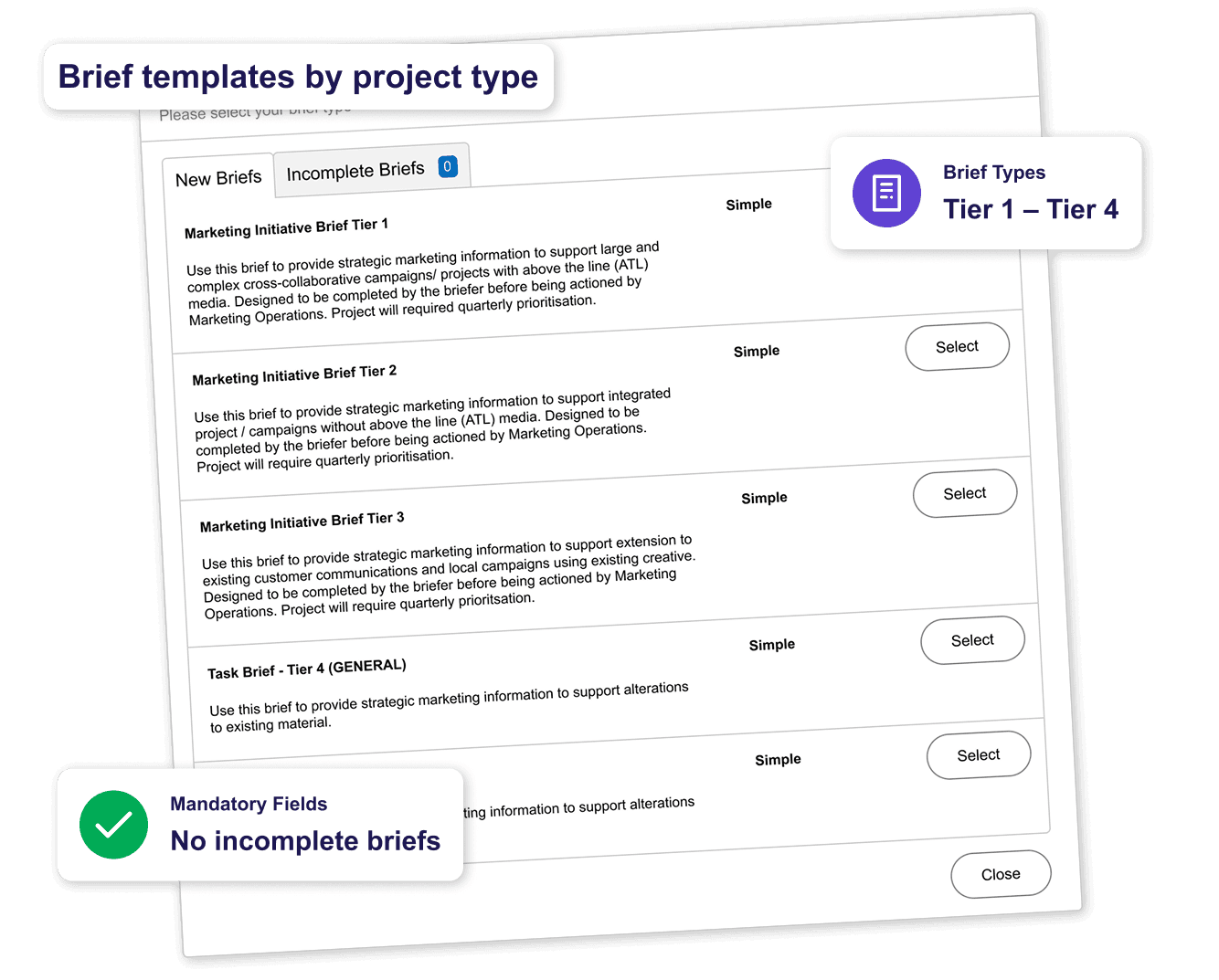
Structured Brief Templates
The quality of a creative brief directly affects the quality of the work that comes from it. Admation's brief templates ensure structure, completeness, and consistency across every project - regardless of who creates the brief.
• Custom Brief Templates: Create templates for different project types - campaign, content, digital, print, video, social - each capturing the specific information that type of work requires.
• Mandatory Fields: Set required fields that must be completed before a brief can be submitted - prevents incomplete briefs from entering the workflow.
• Rich Brief Detail: Capture purpose, objectives, target audience, budgets, resources, approvals, deadlines, and compliance requirements in a structured, searchable format.
• Diverse Brief Types in One Format: Brand, product, campaign, and regulatory project types all captured in consistent templates within the same platform.
Brief Approval Pathway
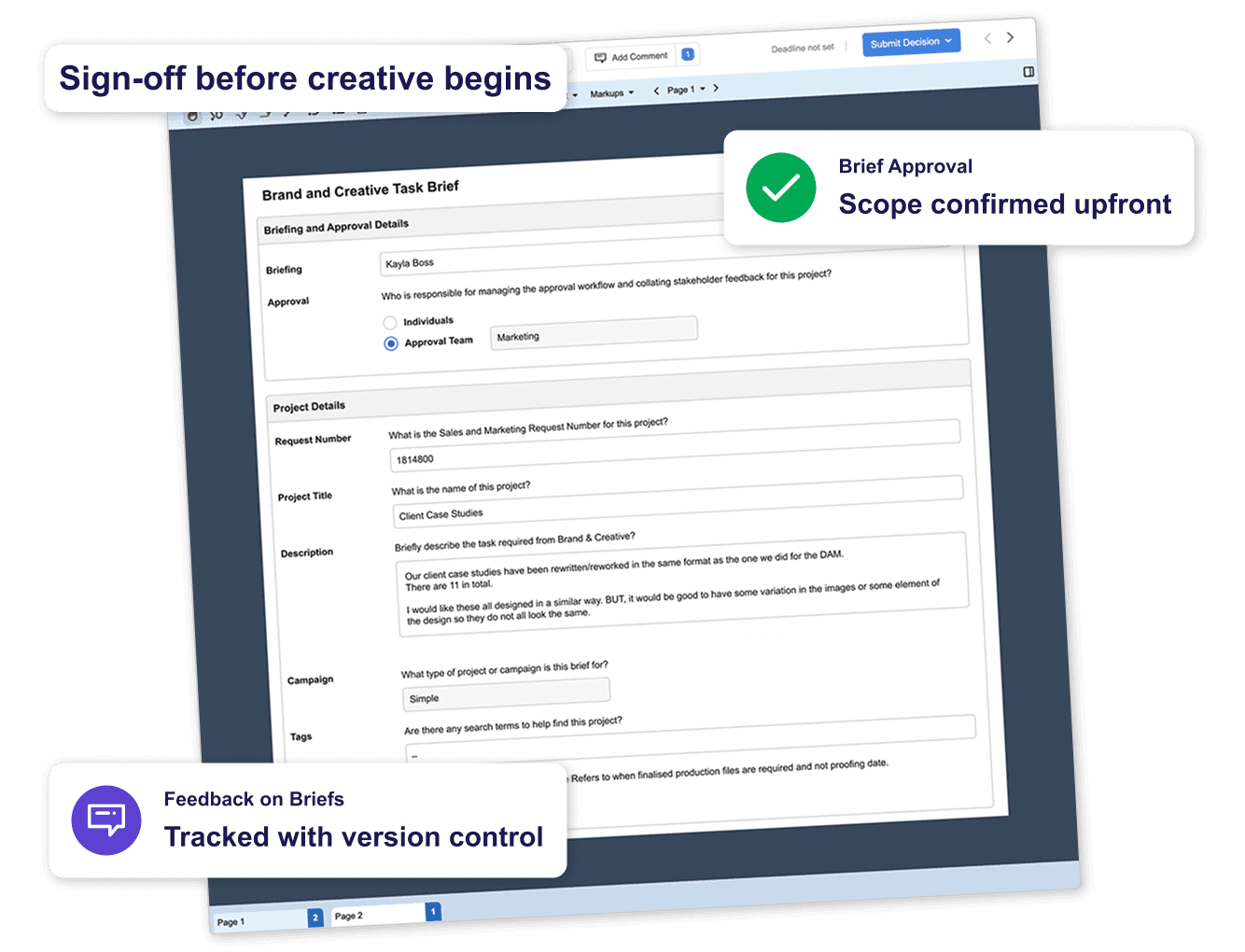
A brief isn't ready to act on until it's been reviewed and approved. Admation's brief approval pathway gets stakeholder sign-off before creative work begins - the fastest way to reduce revision cycles.
• Brief Review & Approval: Route completed briefs through a templated approval pathway - stakeholders confirm scope, compliance requirements, and resource availability before a single task is created.
• Brief Approval Routing: Define who reviews and approves briefs for each project type - from a single fast sign-off to sequential review by manager, compliance, and client.
• Feedback on Briefs: Reviewers comment directly on the brief - changes are captured with version control so the brief evolves rather than being lost in email.
See the full approval workflow for assets and campaigns: Marketing Approval Workflow Software
Brief Management Within the Project
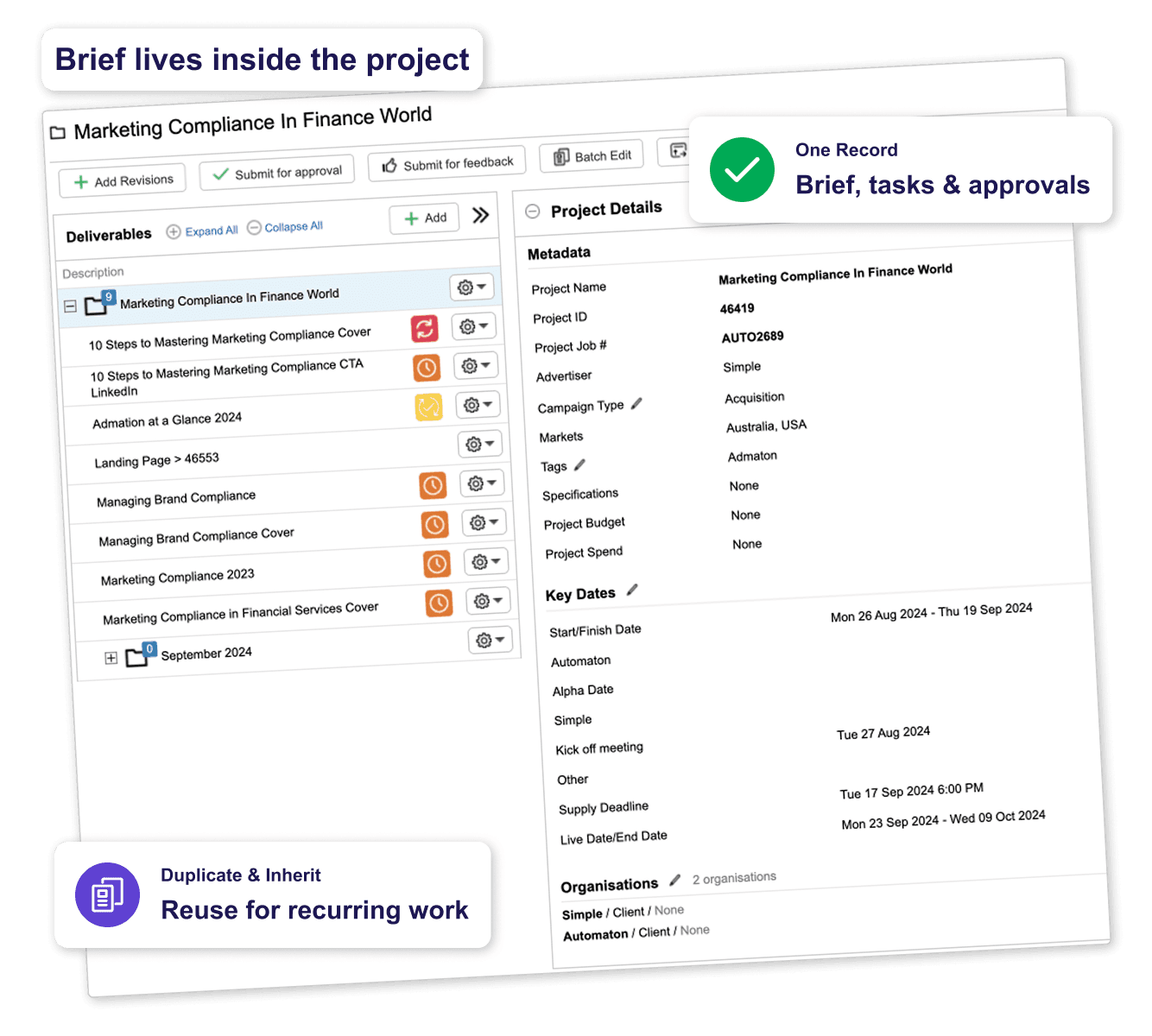
Briefs are most useful when they stay connected to the work they originate. In Admation, the brief is part of the project - not a separate document that gets abandoned after kick-off.
• Briefs Inside Projects: Project briefs sit alongside tasks, approval pathways, assets, and final files within the same project record - accessible to every team member throughout the campaign.
• Brief Duplication: Duplicate briefs for recurring campaigns or similar project types - inherited fields reduce setup time while maintaining consistency.
• Inherited Fields: Speed up brief creation for related projects by inheriting fields from a parent brief or previous project.
• Compliance Requirements in Briefs: Attach regulatory guidelines, compliance frameworks, or disclosure requirements directly to the brief - visible to every stakeholder from day one.
See project management and campaign planning: Marketing Project Management Software
Admation Creative Briefing Features
Custom Brief Templates
Different templates for different project types.

Mandatory Fields
Required fields prevent incomplete briefs.

Rich Brief Detail
Objectives, budgets, deadlines, compliance - all in one.

Brief Approval Pathway
Route briefs through sign-off before work begins.

Brief Approval Routing
Define who reviews briefs for each project type.

Feedback on Briefs
Comments directly on the brief with version tracking.

Brief Duplication
Copy completed briefs for similar or recurring campaigns.

Inherited Fields
Speed up brief creation for related projects.

Compliance in Briefs
Attach regulatory documents and requirements at brief stage.

Briefs Inside Projects
Brief stays connected to tasks, approvals, and assets.

Brief Version Control
Every change to the brief is tracked.

Diverse Brief Types
Brand, campaign, product, digital - all consistent formats.

Frequently Asked Questions
How does Admation’s creative briefing software work?
Admation provides structured brief templates with mandatory fields, a brief approval pathway that captures stakeholder sign-off before work begins, version control on every change, and briefs that live inside the project record alongside tasks, assets, and approvals. Brief creation, routing, approval, and storage happen in one platform — connected to the rest of the campaign workflow rather than sitting in a separate document.
Can brief templates be customised for different project types?
Yes. Admation supports multiple brief template types for different campaign and project categories — campaign, content, digital, print, video, social. Each template can have its own required fields, optional fields, and default information. A digital campaign brief captures what digital campaigns need; a print or regulated content brief captures what those projects require. Templates are managed centrally so consistency is maintained across the team.
How does brief approval work in Admation?
When a brief is completed in Admation, it routes through a defined approval pathway — configured in advance for each project type. Stakeholders review and confirm scope, compliance requirements, and resource availability. Feedback is captured directly on the brief with version control. Sign-off is recorded in the system with a timestamp before the first creative task is assigned — creating a formal record of who approved what, and when.
How does Admation support regulated marketing teams at the brief stage?
For regulated industries — financial services, insurance, and healthcare — the brief is where compliance starts. Admation allows compliance requirements, regulatory parameters, and mandatory disclosure obligations to be captured in the brief before any creative work begins, ensuring campaigns are aligned with marketing compliance standards from the outset. Compliance teams can attach current regulatory guidance directly to the brief, and brief approval pathways can include mandatory compliance sign-off before the first task is assigned.
How does brief management in Admation reduce revision cycles?
Revision cycles caused by unclear direction are almost always traceable to a brief that was incomplete, unapproved, or disconnected from the project. Admation addresses all three: mandatory fields prevent incomplete briefs from being submitted; the brief approval pathway ensures stakeholders confirm scope before work begins; and briefs living inside the project record keep direction visible throughout production rather than being abandoned after kick-off.
Does Admation integrate brief management with the rest of the campaign workflow?
Yes. In Admation, the brief is the starting point for the full campaign workflow — not a separate document. Brief fields inform task requirements; compliance notes shape the approval pathway; the approved brief is accessible at every stage. Once the brief is signed off, the workflow continues through task and project management, asset production, online proofing, and final approval — all within the same platform.
Start every campaign with a brief that actually works.
Admation's brief templates, mandatory fields, and brief approval pathway ensure every project starts with complete, signed-off direction.
Watch a DemoRelated Solutions
Marketing Approval Workflow Software
Manage the full brief-to-sign-off approval process for marketing campaigns. Learn more about Approval Workflow

Marketing Project Management
Brief capture is the first step in full campaign management. Learn more about Project Management

Marketing Compliance Software
Structured checklists, audit trails, and tiered approvals for regulated industries. Learn more about Marketing Compliance

Online Proofing Software
Review and annotate creative assets directly in Admation — the next step once a brief is approved and production begins. Learn more about Online Proofing

Marketing Resource Management
Plan the team capacity and resource allocation needed to deliver what the brief commits to — before work begins. Learn more about Resource Management

What Is a Creative Brief?
The complete guide to brief management — what a brief should contain, why briefs fail, and how brief approval works in practice. Read the in-depth guide

How to Write a Creative Brief
A step-by-step guide to writing briefs that reduce revision cycles and keep campaigns on track from kick-off to delivery. Read the guide

Simple Admation
See the complete Admation platform and all its capabilities. Learn more about Admation