
Re-run a Project: Relaunch Marketing Campaigns Quickly and Accurately
Marketing and creative teams often need to rerun campaigns — annual promotions, seasonal bursts, regulatory updates or new-market adaptations. But without structured workflows, rerunning a project becomes time-consuming, risky and operationally messy.
Admation’s Re-run a Project feature removes this complexity. With one action, teams duplicate a previously approved project — including its metadata, files, production assets, deliverables and audit history — ready for quick updates and re-approval.
Whether you’re refreshing creative, adapting work for a new region, or relaunching a proven campaign, Admation ensures every rerun begins with accurate, compliant, approved assets and a full record of previous decisions.
This feature is ideal for marketing teams, retail organisations, agencies, in-house studios and any team that manages recurring, multi-market or seasonal campaigns.
What Problem Does Re-run a Project Solve?
Marketing teams often struggle when relaunching or refreshing a campaign. Without a proper system, reruns become manual, slow and error-prone — especially when files, metadata and decisions live across servers, inboxes or old desktops. Admation solves these challenges by providing a structured, auditable and automated way to restart work with confidence.
Before using a project rerun workflow, teams commonly ask:
- “Where are the final production files?”
- “Which version was approved?”
- “Who worked on it last year?”
- “Did we run the correct disclaimers or compliance wording?”
- “Which deliverables need updating for this market?”
Without a connected system, teams face operational friction, unnecessary admin, repeated work and compliance uncertainty.
Admation’s Re-run a Project provides a fast, safe and reliable way to relaunch work — with complete visibility and full governance.
What Is Admation’s Re-run a Project Feature?
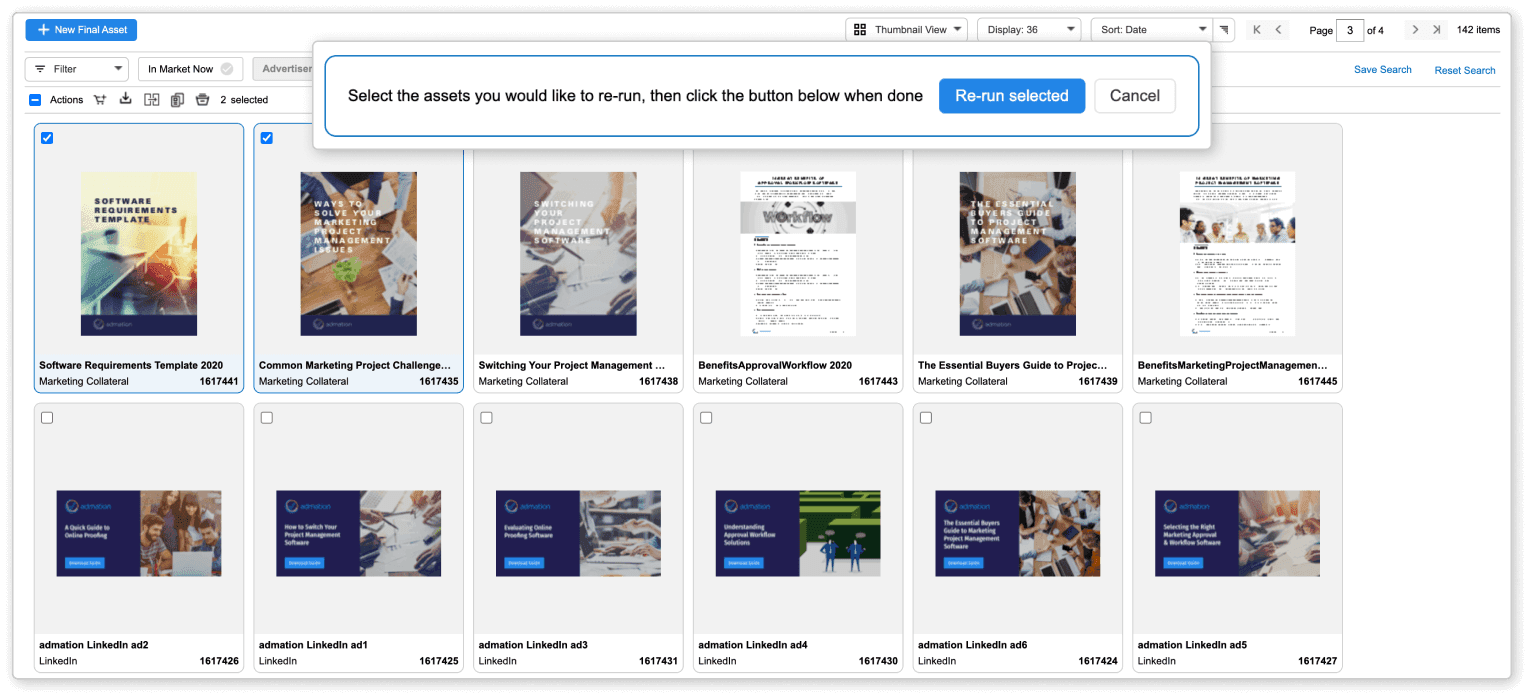
Re-run a Project duplicates an existing, approved project — including all deliverables, metadata, files, audit history and production assets — into a new, ready-to-update project. Teams can choose individual deliverables or re-run multiple items at once.
The rerun process ensures:
• Only approved, compliant assets are used
• All workflow settings and metadata copy forward
• Studios receive everything they need to update artwork
• Reviewers see full history for informed re-approval
• Compliance teams retain oversight and audit trails
This creates a streamlined, secure and repeatable process for relaunching campaigns at scale.
Key Features
Re-run Any Approved Project
Duplicate a project from Ad Storage with all metadata, deliverables, workflow settings and approved files — ensuring reruns always start from the correct source.

Selective Deliverable Reruns
Choose specific items to re-run or re-launch entire campaign sets, giving teams flexibility for partial updates or full relaunches.

Auto-Copied Metadata & Settings
Admation carries forward deadlines, formats, audience fields, team assignments, project categories and compliance metadata to eliminate manual re-entry.

Access to Final Production Files
Studios and designers instantly access approved layouts, images, packaging files or digital assets without hunting across servers or archives.

Full Audit History Retained
All prior approvals, comments, decisions and compliance checks remain visible — ensuring new work starts with complete context.

Integrated Approval Workflow
Updated deliverables automatically enter the correct approval pathways ready for marketing, brand, legal and compliance review.

Support for Multi-Market Updates
Teams can easily adapt original campaigns for different regions, product variations or language requirements using existing project structures.

Key Benefits
Faster Campaign Relaunch
Teams can restart work instantly using previously approved assets, metadata and files — reducing setup time and helping recurring, seasonal and multi-market campaigns launch faster and more consistently.
Reduced Production Effort
Studios avoid recreating work from scratch because final assets, production files and specifications are already available within the rerun project — improving efficiency and accuracy.
Improved Accuracy and Compliance
Reruns always begin from the last approved, compliant version, ensuring brand elements, claims and regulatory wording are correct before updates occur — reducing risk and rework.
Consistent Multi-Channel Output
Teams reuse structured project frameworks and deliverables, enabling consistent updates across print, social, digital, retail and email formats without introducing misalignment.
Better Multi-Market Adaptation
Teams can easily localise campaigns by reusing the original creative and workflow — supporting faster, brand-safe rollout into new regions or audience segments.
Enhanced Operational Efficiency
Automated duplication reduces admin work and ensures project information, history and approvals remain intact — speeding up collaboration between marketing, creative and compliance teams.
Full Visibility and Control
All historical context, approvals and audit trails remain attached to the rerun, helping teams confirm what changed, what must stay consistent and what requires new review.
How It Works
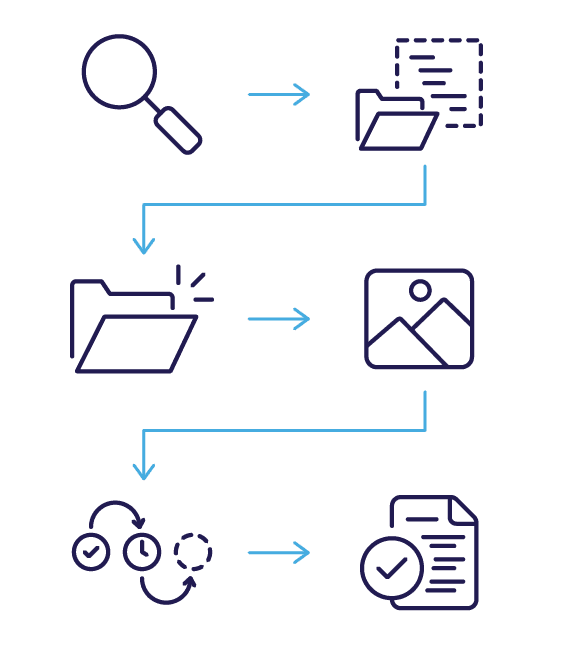
- Locate the Approved Project
Search Ad Storage using keywords, filters, IDs or categories to find the original campaign. - Select Deliverables to Re-run
Choose whether to re-run the entire project or specific items within it. - Create the Rerun Project
Admation duplicates metadata, workflow settings and approved assets into a new project shell. - Upload Updated Creative
Add new visuals, copy changes, dates, disclaimers or localisation updates. - Send Deliverables for Approval
Updated assets move through the correct approval pathways for marketing, brand, legal or compliance. - Finalise and Publish
Once approved, the new creative is ready for production, distribution or market release.
Use Cases
Marketing Teams
Refresh seasonal or recurring campaigns quickly using approved assets and templates.

Retail & E-commerce
Adapt weekly or monthly campaigns with updated pricing, product ranges or promotional dates.

Agencies & Studios
Streamline reruns for clients and reduce the time spent searching for archived assets.

Operations & Marketing PMOs
Maintain full workflow structure and audit history for governance and compliance oversight.

Challenges Re-run a Project Solves
File Retrieval Complexity
Teams waste time locating archived production files, approved layouts and metadata across drives, servers and inboxes — delaying campaign relaunch and causing unnecessary studio effort.
Version and Approval Uncertainty
Without a structured archive, teams cannot confirm which asset was final, compliant or approved — increasing risk, rework and inconsistent campaign execution.
Manual Duplication Overload
Recreating briefs, deliverables, metadata and workflows manually consumes hours, introduces errors and slows down teams who need fast-turnaround relaunch cycles.
Multi-Market Inconsistency
Adapting campaigns for new regions becomes error-prone when market variations, disclaimers or localisation requirements are not tied back to a single approved master.
Operational Bottlenecks
Studios, PMs and marketers lose efficiency when reruns depend on individuals remembering details from prior campaigns rather than using a structured, repeatable workflow.
Compliance Oversight Gaps
Regulated industries risk publishing incorrect claims or outdated disclaimers when reruns aren’t grounded in the original, approved, audit-ready version.